Summertime Saga Stable vs Preview Which Version to Play
Everything you need to decide between the Summertime Saga stable version and the preview version in one place. This guide covers what each build contains, how often they update, whether your save file transfers, which one suits new players versus returning players, and how to check which version you currently have installed.
What Is the Stable Version
The stable version of Summertime Saga is the fully tested public release that most players download from summertimesaaga.co.za when they first pick up the game. Every scene, route, and mechanic included in a stable build has gone through a development and testing cycle before reaching the public, which means the content you play is considered finished and free of the major bugs that can interrupt storyline progression.
Because the stable release is what most of the community plays, all guides on summertimesaaga.co.za are written against stable version content. When you follow the complete walkthrough or look up a character route like the Jenny and Debbie guide, the steps described there apply to the stable build rather than a preview build that may contain placeholder content or temporary dialogue.
Stable releases are the right starting point for anyone playing Summertime Saga for the first time, anyone returning after a long break, and anyone who wants to experience character arcs without the risk of an unfinished scene cutting off progress mid route.
What Is the Preview Version
The preview version of Summertime Saga is an early access build that gives players a look at content still in active development before it ships to the stable release. Preview builds typically include new character scenes, updated routes, and mechanics that are being tested by the community ahead of the next major stable update.
Playing a preview build means you will see content that most players have not yet experienced, which can be exciting if you follow development closely and want to give feedback on new additions. The tradeoff is that preview content can include unfinished dialogue, placeholder images, scenes that cut off before their conclusion, or bugs that affect how route progress is tracked. Players who have completed a full stable playthrough and want to see what is coming next are the ideal audience for the preview version. If you are still working through your first playthrough of routes like the Maria route or exploring all character routes, the stable build will give you a cleaner experience.
Scenes that appear in a preview build sometimes get revised or removed before reaching the stable release. If a scene you saw in preview feels different or missing once you play the same content in stable, that is the development process working as intended rather than a bug on your end.
Key Differences at a Glance
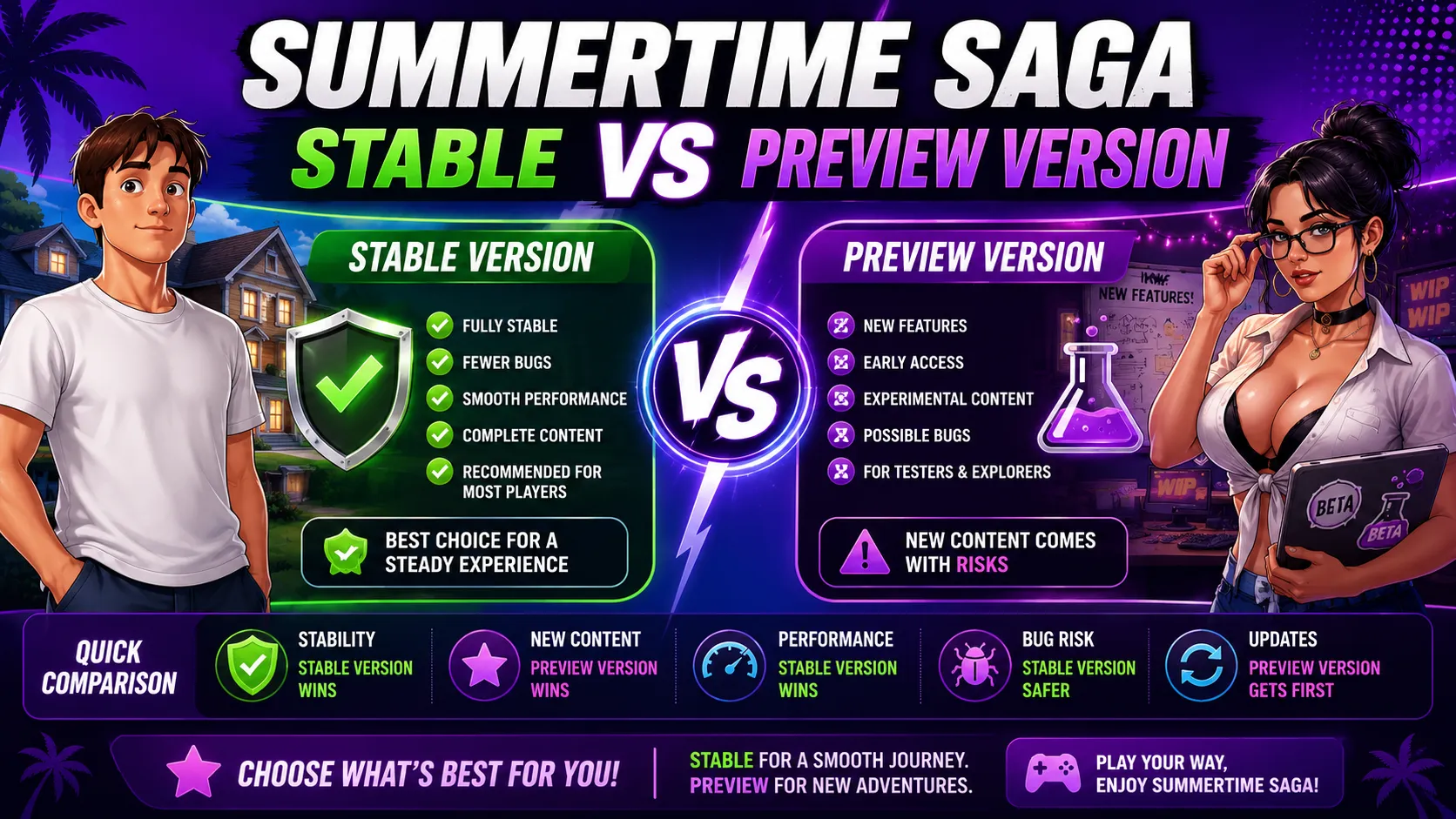
The table below puts the most important differences between stable and preview side by side so you can decide at a glance which version suits your current situation.
| Feature | Stable Version | Preview Version |
|---|---|---|
| Content completeness | All included content is finished | Some scenes unfinished or placeholder |
| Bug frequency | Low, tested before release | Medium to high, under active fixing |
| New content access | After full testing cycle | Early, before stable ships |
| Save file safety | High reliability between saves | Risk of flag resets between builds |
| Guide accuracy | All site guides cover stable | Guide steps may not match preview |
| Best for | New players and full playthroughs | Experienced players following development |
| Update schedule | Periodic major releases | Smaller and more frequent drops |
| Version label | Clean version number on menu | WIP or preview tag on menu |
Which Version Is Right for You
The answer depends entirely on where you are in your playthrough and what you want from the game right now. The two panels below cover the most common player situations.
Play the Stable Version If
Recommended for Most PlayersYou are starting your first playthrough. You want to use the walkthrough, passwords guide, or cookie jar reference without steps being out of sync. You do not want scenes cutting off mid dialogue. You are catching up on routes like the hidden scenes or filling the Cookie Jar completely.
Play the Preview Version If
For Experienced PlayersYou have already completed the stable version content and want to see what is being added next. You are comfortable with bugs, placeholder dialogue, and scenes that may change before stable release. You follow the development updates and want to give feedback on new content before it reaches the wider player base.
Installing the preview version does not overwrite your stable installation if you keep them in separate folders. Many players maintain a stable save for their main playthrough and a separate preview install to track incoming content, which avoids any save compatibility risk between the two builds.
Save File Compatibility
Save compatibility is the most common concern when players consider switching between stable and preview. The short answer is that transfers are not guaranteed to work cleanly in either direction.
Stable to Preview Transfer
What to expect when loading a stable save in a preview build
Variable and Story Flags May Differ
Preview builds sometimes add new internal variables to track content that did not exist in the stable version. When you load a stable save into preview, those new variables are missing from your file and the game fills them with default values, which can make the game behave as if certain scenes have not been triggered even if you completed them in stable.
Keep a Backup Before Switching
Always copy your stable save folder to a separate location before opening it in a preview build. This lets you return to your stable progress without loss if the preview version corrupts or misreads your save data.
⚠️ A corrupted preview save cannot always be recoveredPreview to Stable Transfer
Loading a preview save into the stable release
Content Flags for Unshipped Scenes
If you completed scenes in preview that have not yet shipped to stable, your save file contains completion flags for content the stable version does not know about. Loading that save into stable can cause the game to skip related setup scenes or present dialogue out of the expected order.
Starting Fresh on Stable Is Often Cleaner
If you want a clean stable playthrough after testing a preview build, starting a new save in the stable version avoids all flag mismatch issues. The complete walkthrough covers every route efficiently so a fresh stable run does not take as long as a first playthrough did.
💡 A new stable save is the safest option after extended preview useUpdate Frequency Explained
Understanding how often each version updates helps you plan when to switch builds and when to wait for content to stabilize.
Stable Release Cadence
How major stable versions are timed and what they include
Significant Content Chunks Per Release
Stable updates ship when a meaningful amount of new content has been completed, tested, and confirmed to work across platforms. Each stable release typically adds multiple route scenes, quality of life improvements, and bug fixes accumulated since the prior version. The v0.20.16 update notes and the WIP 8156 update page show what a typical stable update includes.
Longer Gaps Between Drops
Because stable releases are held until content is polished, the gaps between them are longer than what preview players experience. If you check the site and a new stable version has not appeared for several weeks, that typically means the team is still finishing and testing the next content block rather than the project being inactive.
Preview Release Cadence
How preview builds drop and what they signal about upcoming stable content
Smaller and More Iterative Drops
Preview builds update more frequently than stable, sometimes delivering smaller content additions, bug patches, or updated scene drafts on a rolling basis. This means preview players often see incremental changes rather than one large content drop at a time.
Preview Content Signals What Is Coming to Stable
Tracking preview updates is the most reliable way to anticipate what the next stable release will contain. If a character route or scene type has been appearing in preview builds for several weeks, it is likely close to shipping in stable. The character routes overview notes which routes have been receiving active development attention.
How to Check Your Version
Knowing which version you have installed is the first step before following any guide or troubleshooting a bug. The method is the same across PC, Android, and iOS.
On the main menu screen the version number appears in small text, usually in a corner of the screen. A clean number like 0.20.16 means you are on a stable release. A label that includes WIP, Preview, or a longer build string means you are running a preview build.
On Android you can also check the installed version in your device app info settings. The APK update page lists the current stable APK version number so you can compare it against what is installed.
On iOS version details follow the same main menu check. See the iOS install guide for any platform specific notes on version identification on Apple devices.
On PC the version number on the main menu is the clearest check. The PC guide also covers where the install folder is stored if you want to compare file dates between a stable and preview installation running side by side.
Looking for an older stable build the older version downloads page lists previous stable releases if you need to roll back from a preview build or test content from a specific past version.
Related Guides
Once you have confirmed which version to play, these guides will keep your playthrough moving across every route and system in the game.
Playing on mobile See the iOS install guide for setup steps and version identification on Apple devices
Playing on desktop See the PC guide for install folder locations and performance tips across stable and preview
Need the current stable APK Grab the latest build from the APK update page
Stable vs Preview FAQ
Know Your Version and Play With Confidence
Pair this version guide with the full walkthrough and character route references so every step you take in the game is backed by accurate and up to date information.